The ‘My Profile & Settings’ section is not just for changing your email. We have filled this section of the platform with access to all your core information. Let’s take a look at each section in detail.
1. Profile
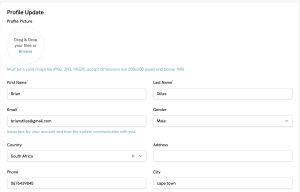
The Profile tab is dedicated to your personal information. This section allows you to add a photo (which will be displayed on your profile in the marketplace) and ensure your personal and contact information are up to date.
2. Password
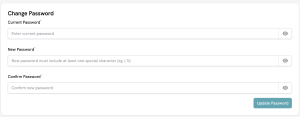
It is always recommended to update your password from time to time for your security and safety. Simply access the Password tab, enter your current and new passwords, and click ‘Update Password’ to secure them.
3. Two Factor Authentication
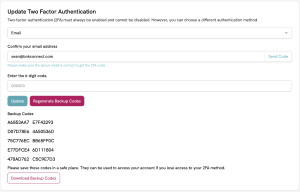
We’ve already discussed the importance of 2FA, and here you can change how we verify that you’re the one trying to access your account.
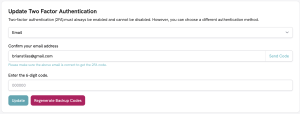
You can also ‘Regenerate Backup Codes’ should you misplace the codes you received when signing in to your account for the first time. When you click the regenerate button, it expands, as shown below, allowing you to ‘Download Backup Codes’.
4. Qualifications
This is another part of your account that will go a long way towards landing more clients. Here, you can showcase your qualifications by uploading your certificates and demonstrating why you are a leader in your field.
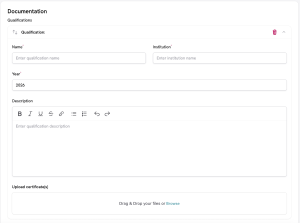
The ‘Add Qualification’ button adds more slots, which you can populate with your relevant qualifications. Hit the ‘Save Qualification’ button to add them to your profile.
5. General Settings
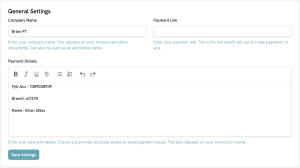
This tab is pivotal to ensuring a seamless and friction-free invoicing process. Rather than manually adding your account information, simply enter the relevant payment link and/or payment information here, and it will be automatically added to your invoices.
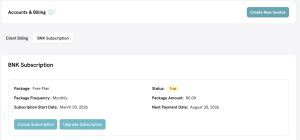
6. BNK Subscription
When your account needs to be upgraded to provide more customer seats for your growing business, simply visit this section of the site, follow the prompts and choose the package that best suits your needs.