Manage Your Notifications In One Location
At BNK Connect, we know how frustrating it can be to bounce between various parts of a business platform to keep track of your client interactions.
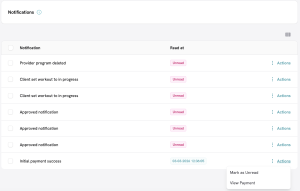
To make it as easy as possible for you to keep tabs of client responses to proposed programs, training guides and other communications, we have implemented a single repository for these interactions called Notifications.
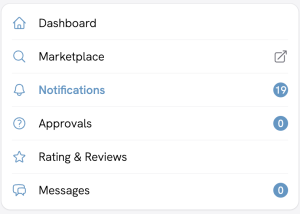
Here you can track who has and has not yet replied, and quickly jump to the specific message centre, such as Approvals or Ratings & Reviews, to read the whole message.
This is done by double-clicking ‘Approved notification’ under the Notification heading, or clicking on Action and selecting ‘View Approvals’.